Call us now :08045804341
 Send Inquiry
 Send Inquiry
Atop NMU Network Management Utility
MOQ : 50 Pieces
Atop NMU Network Management Utility Specification
- Language Support
- English, Chinese
- Usage
- Remote configuration and control of network devices
- Compatible System
- Atop Ethernet switches and networking hardware
- Interface Type
- Web-based GUI
- Support System
- Windows 7/8/10, Windows Server 2008/2012
- Capacity (Person)
- Multiple simultaneous users supported
- Security Features
- User authentication, encrypted communication
- Type
- Network Management Utility Software
- Application
- Centralized network device management and monitoring
- User Management
- Role-based access control
- Event Notification
- Alarm and real-time event notification
- Firmware Upgrade
- Centralized device firmware update function
- Installation
- Easy setup with guided installer
- Update Mechanism
- Supports manual and scheduled updates
- Topology View
- Intuitive graphical network mapping
- Reporting Functions
- Traffic statistics, device status, event logs
- Supported Protocols
- SNMP, RMON, ICMP, Syslog
- Scalability
- Can monitor and control hundreds of devices
Atop NMU Network Management Utility Trade Information
- Minimum Order Quantity
- 50 Pieces
- Payment Terms
- Cash Advance (CA)
- Supply Ability
- 5000 Pieces Per Month
- Delivery Time
- 7 Days
- Main Domestic Market
- All India
About Atop NMU Network Management Utility
The ideal method for managing ATOP Industrial Managed Switches is with our ATOP network management tool. It was created expressly to make network configuration and maintenance-which, when done manually, sometimes involve repeated labour-easier and simpler. On any PC linked to the network, NMU can be installed. Despite being reliant on the Simple Network Management Protocol (SNMP) for configuration and management, it can analyse events and logs to Syslog servers in real-time, giving the network operator complete visibility into the state of the network and the information they need to make decisions. It has a long service life.
Product Type - Atop NMU Network Management Utility
Usage - Commercial
Ram - 16 GB
Disk Space - 256 GB
CPU - 2.20 GHz Or Faster Dual-Core CPU
Comprehensive Protocol Support
Atop NMU supports key network management protocols such as SNMP, RMON, ICMP, and Syslog, allowing for detailed device monitoring and event logging. These protocols enable administrators to track traffic statistics, device status, and receive timely notifications about network events, thereby providing a holistic network overview.
Intuitive Topology and Real-Time Monitoring
The software features an intuitive graphical topology view, making network mapping and device relationships easy to understand. Combined with alarm and real-time event notification capabilities, administrators can rapidly identify and resolve network issues for enhanced uptime and reliability.
Efficient Firmware Management and Scalability
Centralized firmware upgrade and robust update mechanisms-both manual and scheduled-ensure all network devices stay secure and up-to-date. The utility is scalable, capable of monitoring and controlling hundreds of devices, which is perfect for expanding network environments.
FAQ's of Atop NMU Network Management Utility:
Q: How does Atop NMU enhance centralized network management?
A: Atop NMU consolidates device monitoring, troubleshooting, and administration into one platform. Its web-based interface provides access to real-time data, graphical topology visualization, and centralized functions such as firmware upgrades, enabling efficient remote control and streamlined workflow.Q: What protocols are supported by the NMU for device communication?
A: The utility supports SNMP, RMON, ICMP, and Syslog protocols, which facilitate comprehensive data gathering, performance analysis, event logging, and network traffic monitoring for compatible devices.Q: When should I use the firmware upgrade function in Atop NMU?
A: Use the firmware upgrade feature whenever new security patches or performance enhancements are released. The NMU's centralized upgrade function allows you to deploy updates simultaneously to multiple devices, ensuring consistency and minimizing network downtime.Q: Where can I access the Atop NMU application?
A: Atop NMU is accessible via its web-based GUI, allowing authorized users to manage and monitor network devices remotely from any location with internet connectivity and supported Windows operating systems.Q: What is the process for installing Atop NMU on my system?
A: Installation is straightforward, using a guided installer compatible with Windows 7/8/10 and Windows Server 2008/2012. Follow the step-by-step prompts to complete setup, configure devices, and assign user roles for access control.Q: How does user management benefit my network security?
A: Atop NMU supports role-based access control, user authentication, and encrypted communication, which collectively ensure that only authorized personnel can access or modify network configurations, thereby strengthening overall network security.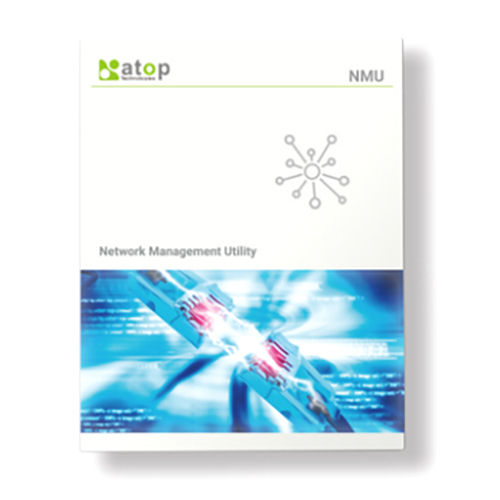
Tell us about your requirement

Price:
Quantity
Select Unit
- 50
- 100
- 200
- 250
- 500
- 1000+
Additional detail
Mobile number
Email


 Send Inquiry
Our Products
- Cellular Router
- Rugged Lte Gateway
- Industrial Switches
- Cellular Modem
- Access Points
- Industrial Ethernet
- Precision Timing Product
- Industrial Wireless Connectivity
- Serial and Modbus Gateways
- Industrial Computing
- Protocol Gateways
- Management Software
- Interoperability Prdoucts
- Industrial Accessories
- Unmanaged Switches
- Lite Managed Switches
- Managed Switches
- Layer-3 Switches
- NAT Switches and Routers
- PTP Transparent Clocks
- PTP Boundary Clocks
- PTP Grandmaster Clocks
- Industrial NTP Servers
- Wi-Fi Routers
- Wi-Fi Serial and Modbus Gateways
- Cellular Industrial Edge Computers
- Cellular Smart Grid Protocol Gateways
- Entry Level Serial Modbus Gateways
- Rugged Serial Modbus Gateways
- Wi-Fi Serial And Modbus Gateways
- Industrial Edge Computers
- Smart-Grid Protocol Gateways
- Network Management Utility
- PoE Injectors
- Industrial Remote IO
- Media Converter
- Ethernet to Fiber Media Converters
- Serial To Fiber Media Converters
- Power Supplies
- Power Adapters
- SFP Transceivers
- Packaging machine

C-10, Saibabnagar, Opp Rajesh Park, B/H GHB Flats, Maningar East, Ahmedabad - 380008, Gujarat, India

Mr Darshan Panchal
(Proprietor )
Mobile :08045804341
 Send Inquiry
 Send SMS
Developed and Managed by Infocom Network Private Limited.
